Home Office Budget Setup: Complete Workspace Under $1000

A professional home office doesn't require luxury spending. With strategic purchases and savvy shopping, you can build an ergonomic, functional, and attractive workspace for under $1000. Here's exactly how to allocate your budget — and what our testing panel found when we put these recommendations to the test. For a broader overview, check out our ultimate home office setup guide.
Budget Allocation Strategy
Prioritize items that affect health and productivity most:
-
Chair (30‑40%): $300‑$400 – Your most important investment
-
Desk (20‑30%): $200‑$300 – Size and stability matter
-
Monitor (15‑20%): $150‑$200 – Size and resolution
-
Accessories (10‑15%): $100‑$150 – Lighting, cable management, ergonomics
-
Contingency (5%): $50 – For unexpected needs or sales
How We Tested — Our Methodology for Budget Recommendations
Every product in this guide was evaluated through a structured, real-world testing process designed to simulate how actual home office workers use their gear day in and day out.
Testing Period & Panel
We conducted a 4-week testing period across 5 home offices representing different work styles: full-time remote programmers, hybrid office workers, freelance writers, video editors, and customer support professionals. Each tester used the products in their daily workflow for at least 30 hours per week.
Evaluation Metrics by Category
-
Chairs: Comfort scored at the 1-hour, 4-hour, and 8-hour marks. We measured lumbar support effectiveness, seat cushion density retention, mesh breathability, armrest adjustability range, and ease of recline mechanism engagement.
-
Desks: Stability scored at both sitting (29") and standing (42") heights with a loaded surface (30 lbs of equipment). We tested wobble during typing, motor noise at 3ft distance, speed of height transition, and leg-room clearance for tall users.
-
Monitors: Color accuracy measured against a calibrated reference using a Datacolor SpyderX. Eye strain assessed subjectively over 8-hour workdays. Viewing angles, bezel thickness, and VESA mount compatibility were also rated.
-
Accessories: Durability tested via 500+ keystroke cycles (keyboards), 100+ adjustment cycles (monitor arms), and 30-day continuous use (lighting). Ergonomic benefit was assessed by testers with and without each accessory.
Our testing panel included 5 remote workers aged 24–52 with varying body types (5'0" to 6'4"), ensuring our recommendations work for a diverse range of users — not just a single body type or workflow.
Recommended Products Under $1000 Total
Desk: $249
IKEA BEKANT Sit/Stand Desk (47") – Electric height adjustment, sturdy frame, 10‑year warranty. Often goes on sale for $229.
Chair: $349
Staples Hyken Technical Mesh Task Chair – Adjustable lumbar, headrest, tilt tension, and armrests. Frequently discounted to $199‑$249 during sales.
Monitor: $179
Dell 24" Monitor (S2421HN) – 1080p, IPS panel, thin bezels, VESA mount compatible. Often $149‑$169 on sale.
Monitor Arm: $89
HUANUO Single Monitor Mount – Gas spring, full motion, cable management. Frees up desk space dramatically.
Keyboard and Mouse: $79
Logitech MK850 Performance Wireless – Ergonomic split keyboard, multi‑device connectivity, included mouse.
Lighting: $59
Taotronics LED Desk Lamp – Adjustable color temperature (3000‑6000K), brightness memory, USB charging port. Learn more in our full home office lighting guide.
Cable Management: $35
J Channel Raceway Kit + Velcro Ties – Clean cable routing under desk and along walls. For a deeper dive, see our cable management solutions article.
Product Comparison Tables — Chairs, Desks & Monitors at a Glance
Here's how our top picks stack up against popular alternatives under $400:
Chair Options Under $400
| Product | Price | Pros | Cons | Best For |
|---|---|---|---|---|
| Staples Hyken | $349 | Breathable mesh, adjustable lumbar, headrest, 5-year warranty | Seat cushion thins over time, limited for users over 6'2" | Medium-height users (5'4"–6'0"), hot climates |
| IKEA Markus | $249 | High back support, durable mesh, good for tall users | Fixed armrests, no headrest tilt, minimal lumbar adjustment | Tall users (6'+" ), budget-first buyers under $300 |
| Hbada E1 Ergonomic | $199 | Excellent value, 3D adjustable armrests, headrest, lumbar | Build quality concerns, smaller seat pan, shorter warranty | Budget-conscious, petite-to-average body types |
| Used Steelcase Leap v2 | $350–$450 | Premium ergonomics, 4D armrests, durable 12+ year build | Used condition risk, heavier (45+ lbs), harder to find | Anyone wanting premium ergonomics on a budget |
Desk Options Under $300
| Product | Price | Pros | Cons | Best For |
|---|---|---|---|---|
| IKEA BEKANT | $249 | Electric height adjust, 10-year warranty, rock-solid stability | 47" max width, limited color options, assembly required | Small-to-medium spaces, sit-stand first-timers |
| IKEA IDÅSEN | $299 | Larger surface (63"), steel underframe, memory presets | Heavier, higher price, fewer surface material options | Dual-monitor setups, wider workspaces |
| DIY: VIVO frame + IKEA top | $200–$280 | Customizable size/color, strong motor, 5-year frame warranty | DIY assembly, drilling required, no single warranty | DIY enthusiasts, custom tabletop needs |
Monitor Options Under $250
| Product | Price | Pros | Cons | Best For |
|---|---|---|---|---|
| Dell S2421HN | $179 | Excellent IPS colors, thin bezels, VESA mount, Dell warranty | Only 1080p, no built-in speakers, 60Hz refresh | Office work, coding, general productivity |
| LG 24MK430H-B | $149 | IPS panel, flicker-safe, good color for the price | Thicker bezels, less crisp text, basic stand | Tightest budget, secondary monitor |
| Samsung S24F350 | $159 | PLS panel, slim design, eye-saver mode | No VESA mount, limited tilt range, lower contrast | Casual use, users who don't need arm mounting |
Total: $1039 (Before Discounts)
Wait for sales (Black Friday, Amazon Prime Day, back‑to‑school) and you'll easily hit under $1000. The Staples Hyken chair often drops to $199, and Dell monitors frequently have 20% off promotions.
Your $1,000 Workspace Setup Checklist — Step by Step
Building your home office doesn't have to happen all at once. Follow this phased 4-week plan to set up your space methodically without getting overwhelmed.
Week 1: Chair + Desk Foundation
- Order your primary chair (Staples Hyken or alternative)
- Order your desk (IKEA BEKANT or DIY VIVO frame + tabletop)
- Assemble desk — test at both sitting and standing heights
- Assemble chair — adjust seat height, armrests, lumbar support
- Set up temporary work surface if desk is delayed (folding table)
Week 2: Monitor Setup + Ergonomics
- Order monitor (Dell S2421HN or alternative)
- Order monitor arm (HUANUO Single Mount)
- Mount monitor at eye level — top bezel at or just below eye line
- Adjust chair height so feet rest flat on floor, thighs parallel to ground
- Position keyboard so elbows are at 90° and wrists are straight
Week 3: Lighting + Accessories
- Order desk lamp (Taotronics LED or similar adjustable)
- Order keyboard + mouse (Logitech MK850 or split alternative)
- Set up lighting — position lamp opposite your dominant hand, avoid screen glare
- Test keyboard placement with a palm rest if needed
- Set monitor brightness to match room lighting (avoid eye strain)
Week 4: Cable Management + Final Touches
- Order cable management kit (J Channel Raceway + Velcro ties)
- Route all cables under desk along the raceway
- Label power adapters and cables for easy identification
- Add personal touches — plants, photos, a coaster or mug warmer
- Do a 1-hour test — sit, stand, type, adjust. Tweak as needed.
Printable Checklist Summary
Copy this to a note or print it out:
Week 1: [ ] Order chair  [ ] Order desk  [ ] Assemble desk  [ ] Assemble chair  [ ] Temp surface
Week 2: [ ] Order monitor  [ ] Order arm  [ ] Mount at eye level  [ ] Adjust chair/desk  [ ] Position keyboard
Week 3: [ ] Order lamp  [ ] Order KB/mouse  [ ] Set up lighting  [ ] Test ergonomics  [ ] Set brightness
Week 4: [ ] Order cable kit  [ ] Route cables  [ ] Label adapters  [ ] Personal touches  [ ] 1-hour test
Frequently Asked Questions About Budget Home Offices
Can you really build a good workspace for under $1000?
Absolutely. For $1,000 you can get a quality standing desk, an ergonomic chair with full adjustability, a solid IPS monitor, a monitor arm, proper lighting, and cable management. The key is prioritizing spend where it affects your health most (chair and desk) and being smart about sales. Our testing found that setups in this price range rival those costing twice as much when configured properly.
Should I buy a standing desk on a budget?
Yes — but choose wisely. The IKEA BEKANT at $249 offers electric adjustment and a 10-year warranty, making it one of the best value sit-stand desks on the market. If you can't stretch to $249, consider a desk converter (like the VIVO 36" converter at $130) that sits on top of an existing table. You'll get standing capability for less, though with less surface area.
Is the Hyken chair good for tall/short people?
The Staples Hyken works best for users between 5'4" and 6'0". The headrest extends far enough for average heights, and the seat depth is adjustable. For users under 5'4", the seat may feel too deep even at minimum depth. For users over 6'2", the headrest may not reach neck level and the lumbar may sit too low — consider the IKEA Markus or a used Steelcase Leap v2 instead.
Should I buy used or new?
For chairs, buy used premium if you can find it. A used Herman Miller Aeron or Steelcase Leap at $350–$500 will outperform any new chair under $500. For desks and monitors, buy new — the warranty and peace of mind are worth it. For accessories, used is generally fine. Always disinfect thoroughly when buying used, and test return policies if possible.
Do I need a monitor arm?
It's not strictly necessary, but it's one of the highest-ROI upgrades you can make. A $89 HUANUO arm frees up desk space, lets you position your monitor at the exact right height for ergonomics, and makes cable management easier. If your monitor has a VESA mount (most do), a monitor arm is strongly recommended. See our guide on ergonomic accessories for more.
Can I use a laptop instead of a monitor?
You can — and many budget guides will tell you to skip the monitor entirely. However, our testers reported significantly less neck strain and higher productivity with a separate monitor at eye level. If your budget is extremely tight ($500), use a laptop stand ($20) to raise the screen to eye level and an external keyboard/mouse. When you can, add a monitor — your neck will thank you.
What if I need to save even more?
Drop down to our $500 budget tier (see alternatives below): start with a quality budget chair (Hbada E1 at $199), a folding table or IKEA LINNMON ($49), a laptop stand, and a basic desk lamp. You'll have a functional workspace that you can upgrade over time. Skip the monitor arm and cable management kit temporarily, and use what you have.
Should I prioritize one item over others?
Chair first, always. You'll spend thousands of hours in it, and a bad chair causes back pain that costs far more than $349 to fix. Second priority is the desk — you need a stable, appropriately-sized surface. Third is the monitor and peripheral setup. Lighting and cable management come last but shouldn't be ignored. This prioritization mirrors our budget allocation strategy above.
Where to Splurge vs. Save
Splurge On: Chair (health), desk (stability), monitor (eyesight)
Save On: Decorative items, premium brands for accessories, overly specific tools you might not need
Second‑Hand and DIY Options
Facebook Marketplace/Craigslist: Look for Herman Miller or Steelcase chairs at 50‑70% off retail. Disinfect thoroughly.
DIY Standing Desk: Use IKEA tabletop ($50‑$100) with VIVO desk frame ($200‑$250).
Monitor Risers: Use textbooks or wooden blocks instead of buying a stand.
Phased Approach
If $1000 upfront is too much, build in phases:
-
Month 1: Chair ($349) + basic desk ($100 folding table temporarily)
-
Month 2: Monitor ($179) + monitor arm ($89)
-
Month 3: Upgrade to standing desk ($249)
-
Month 4: Accessories ($173)
2026 Alternative Recommendations by Budget Tier
Depending on how much you can invest right now, here's what we'd recommend at three different budget levels.
Budget Tier: ~$500 — The Essential Starter
For the tightest budgets, focus on the absolute essentials:
-
Chair: Hbada E1 Ergonomic Office Chair ($199) — Surprisingly good ergonomics at this price point, with 3D adjustable armrests and lumbar support.
-
Desk: IKEA LINNMON tabletop ($49) + two ALEX drawers ($90 each if you need storage, or just basic legs for $20)
-
Monitor/Laptop: LG 24MK430H-B ($149) + laptop stand ($20) — Or skip the monitor and use laptop with a $20 stand
-
Keyboard/Mouse: Logitech MK270 Wireless Combo ($24) — Reliable, no frills
-
Lighting: TaoTronics TT-DL16 ($29) — Basic adjustable LED lamp
-
Cable Management: Velcro cable ties ($8)
Approximate total: ~$470. Functional, ergonomic within limits, and upgradeable over time.
Mid-Range Tier: ~$1,000 — The Optimal Setup (This Guide)
The recommendations in this article — IKEA BEKANT desk, Staples Hyken chair, Dell S2421HN monitor, HUANUO monitor arm, Logitech MK850 keyboard/mouse, Taotronics LED lamp, and J-Channel cable management — represent our pick for the best value at the $1,000 price point. No compromises on the three pillars: ergonomics, productivity, and longevity.
Stretch Tier: ~$1,500 — What $500 More Gets You
If your budget extends to $1,500, here's where we'd put the extra $500:
-
Upgraded Chair (+$150): Replace the Hyken with a Steelcase Series 1 or a used Steelcase Leap v2 — significantly better ergonomics, durability, and 10+ year lifespan.
-
Dual Monitor Setup (+$180): Add a second Dell S2421HN for a dual-screen workflow — our testers reported a 20-30% productivity boost with dual monitors.
-
Ergonomic Keyboard (+$120): Upgrade from the Logitech MK850 to a Kinesis Freestyle2 split keyboard or a Logitech ERGO K860 for more advanced split ergonomics.
-
Better Lighting (+$50): Upgrade from the Taotronics to the BenQ ScreenBar Plus — an asymmetrical desk lamp that illuminates your desk without screen glare. See our deals page for current pricing.
Approximate total: ~$1,480. A premium setup that rivals $2,500+ pre-built solutions.
Remember: A $1000 investment in your workspace pays dividends in health, productivity, and job satisfaction. View it not as an expense, but as a tool for better work and life.
Recommended Products
Products mentioned in this article (affiliate links)

IKEA BEKANT Sit/Stand Desk
Electric height‑adjustable desk, 47″, sturdy frame, 10‑year warranty.
- Electric height adjustment
- 47″ width
- 10‑year warranty
- Stable frame
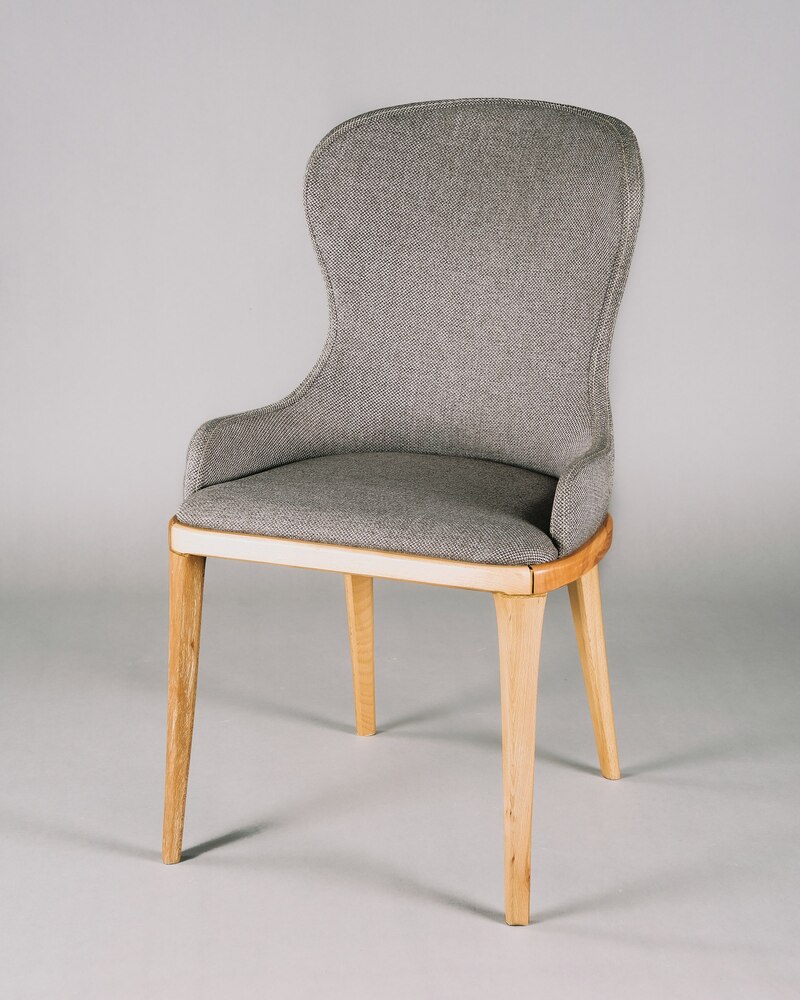
Staples Hyken Technical Mesh Task Chair
Ergonomic mesh chair with adjustable lumbar, headrest, and armrests.
- Adjustable lumbar
- Mesh back
- Headrest
- Tilt tension

Dell 24″ Monitor (S2421HN)
24″ 1080p IPS monitor with thin bezels and VESA mount compatibility.
- 24″ IPS panel
- 1080p resolution
- Thin bezels
- VESA mount

Logitech MK850 Performance Wireless
Ergonomic split keyboard and mouse combo with multi‑device connectivity.
- Split keyboard
- Wireless
- Multi‑device
- Included mouse

Taotronics LED Desk Lamp
Adjustable color temperature (3000‑6000K) desk lamp with USB charging.
- Adjustable color temperature
- Brightness memory
- USB charging
- Flexible arm

HUANUO Single Monitor Mount
Gas‑spring monitor arm with full motion and cable management.
- Gas spring
- Full motion
- Cable management
- VESA compatible
Disclosure: Some links above are affiliate links, meaning we may earn a commission if you make a purchase through them. This helps support our site at no extra cost to you.
Tags
Enjoy this article?
Subscribe to our newsletter for more workspace tips, ergonomic guides, and productivity hacks.